Sunday, July 20, 2008

Amtrak Adventure - Part 4

I’ll be taking a departure away from technology issues for the next few posts to submit a little online journal of my travel across the country with Dad on the Amtrak Coast Starlight and California Zephyr.
July 18th - California Zephyr

Slept much better last night. After waking up and enjoying a nice hot shower we learned that delays and rail work overnight now had us running more than 2 hours behind schedule.

A morning stop in Omaha gave us a chance to stretch our legs for a few minutes and take a look at the beautiful old abandoned Omaha train station. This must have been quite a sight back in the days when rail travel was a primary mode of transportation. According to Bob, its been boarded up for more than 20 years, but the building is still here so there’s hope it might someday be restored to some of it’s former glory.

Here in Omaha, Bob also took the opportunity poll us on what we thought was the most scenic part our trip so far. I’ll let you experience a little bit of Bob for yourself...


After our last breakfast on the train, Dad & I retreated to our compartment for a lazy day of reading and watching the Iowa farms pass by our window. Bob told us that our engineer would try to make up some time along the route, but that we would likely be delayed another 15 minutes as we pass through the flood area in Iowa and Illinois. After we crossed the Mississippi at Burlington, Iowa I was surprised to see how much water was still around even after 3 weeks. Many of these farmers must be devastated.

Once past the flood area we were running about 3 hours behind schedule. Stopping in Galesburg, Illinois we said goodbye to some of our Zephyr friends who’d been traveling with us since Emeryville. For the rest of us, it was on to Chicago.

The Chicago skyline was a bit of a contrast to the farms and small towns we’d been seeing all day. It was also clear that our Chicago-based Zephyr crew, who started here 6 days ago was glad to be coming home. They seemed anxious to see their families and take a few well-deserved days off.

We pulled into Chicago at 6:20 pm, only 2 1/2 hours behind schedule, and in plenty of time for Dad and me to catch the 8:05 Hiawatha train to Milwaukee. It also gave us time to explore the cathedral-like great hall of Chicago’s Union Station.

The Hiawatha was a fast commuter train that zipped us up to Milwaukee airport in only 80 minutes. At the airport we picked up a rental car and headed out to stay with family for a few days. Our Amtrak Adventure was officially over.

Overall, it was a great trip. I’ll definitely have to try this again. Next time I might take the Coast Starlight all the way up to Portland or Seattle. I hear the ride through the Oregon Cascades is really beautiful in the winter. We’ll see.

Surprises and Advice
If you’re thinking about trying a train trip yourself here a few things I learned...

1) Go first class. If you’re taking an overnight trip and can afford it, get a sleeper. Traveling this way is more expensive than air travel, but if you compare the cost of driving, hotels, and meals, you’ll find you might just save a few bucks.

2) Throw out the time schedule. If you find yourself worrying about why the train has stopped, or focusing on your destination you won’t enjoy the beauty that is around you. On the train it’s all about the journey and having a “we’ll get there when we get there” attitude. Besides, arriving 2 1/2 hours late after 4 days is not bad. I’ve had flights that are delayed even more than that.

3) It’s all about the people. One of the biggest surprises for me was all the interesting people I got to meet. Our Amtrak crew was great. I’ve already shared about Bob, but I must also mention Frank, the lounge car attendant/bartender, who looked like Dean Martin and sounded like Al Pacino. His regular intercom announcements always had us smiling. I was also surprised by all the interesting people we met at meals and in the observation car. Some were seasoned rail travelers who shared stories of other rail adventures and others were first-timers just like us. Don’t just sit in your room all day. Take the time to introduce yourself and get to know the people traveling with you. It might just be the best part of your trip.


Created with Admarket's flickrSLiDR.

Saturday, July 19, 2008

Amtrak Adventure - Part 3


I’ll be taking a departure away from technology issues for the next few posts to submit a little online journal of my travel across the country with Dad on the Amtrak Coast Starlight and California Zephyr.

July 17 - California Zephyr

The upper bunk was a little narrower than I expected. Thankfully there were safety straps from the edge of the bunk clipped to ceiling of the compartment that kept me from rolling out during the night. The rocking of the train took a bit of getting used to, but eventually sleep found me. I think I dreamed I was in that old “I Love Lucy” episode where they slept in the upper berth on the train from Hollywood to New York.

During the night we passed through the Utah salt flats, Salt Lake City, and Provo.
Morning included another first - a shower on the train. Nothing glamorous here. Think of a tiny tent trailer or RV shower. Were not talking about the Hilton suites but there were plenty of clean towels.

Breakfast was an added surprise as Dad discovered that the people sitting across form us were Iowa relatives of one of his best friends. As soon as I can get a WiFi signal Dad plans to e-mail Jules and tell him we had breakfast with Chick & Opal.

The ride through Utah, Glenwood Canyon, and the Colorado Rockies was stunning. I’ll let the pictures speak for themselves. We rode through some beautiful canyons and valleys that can only be seen by train passengers and backpackers, following the Colorado River all the way to the town of Granby. You might remember this little town was in the news about 4 years ago when a disgruntled citizen built his own “tank” out of a bulldozer and destroyed a 13 town buildings including the Granby City Hall.

The Moffat Tunnel was our passage under the continental divide. This 6.2 mile long tunnel takes about 12 minutes for the train to go through. During that time, passengers are warned stay in their own cars and not open the doors between cars in order to keep out the diesel fumes and coal dust.

Dinner included a very interesting conversation with a man from the Canadian Coast guard. He shared his first hand experience with the staggering effects of global warming on the Arctic ice pack. “Icebergs used to break off in the summer and reform in the winter, but now they’re not reforming,” he shared noting that estimates predict that by next year the ice may have thinned out enough to create a shipping lane from Greenland to the Bering Strait. We also discussed the drastic effects a minute change in ocean temperature, salinity, and acidity could have on algae growth, fish population, and the formation of coral. Its amazing to think about how all these seemingly separate systems are actually connected and dependent on each other. I just hope we haven’t figured all this out before its too late to do anything about it.

Sunset brought us to Denver’s Union Station and a last chance to get out and stretch our legs before turning in for the night.

CLICK HERE for Part 4


Created with Admarket's flickrSLiDR.

Still No WiFi?
I tried to locate wireless access point at every station stop today, but I think I’ll just have to accept the fact that I won’t be able to get online until arriving in Chicago or Milwaukee.

Amtrak Adventure - Part 2

I’ll be taking a departure away from technology issues for the next few posts to submit a little online journal of my travel across the country with Dad on the Amtrak Coast Starlight and California Zephyr.


July 16 - California Zephyr


The horn blast of an early morning freight train was our wake up call this morning. The balcony of our hotel room overlooked the Emeryville station. At 7:55am the California Zephyr, our home for the next 3 days, pulled up to the platform. We found sleeping car 632 and met Bob, our 6 foot 6 1/2 attendant. He had hot coffee already for us in the car and not long after had we settled down in our room, he popped his head in our compartment and invited us to breakfast in the dining car. Our dining companions were a couple of musicians from the Bay Area. We shared stories and had a great discussion about the need to teach our kids how to find truth and validity in the glut of information available online, and promote creativity and innovation in the classroom. We chatted until the attendants politely kicked us out of the dining car, encouraging us to continue to solve the world’s problems, but to work at it in a different car.

After a brief stop to stretch our legs in Sacramento, the Zephyr started chugging uphill into the Sierras following pretty much the same route as the original Transcontinental Railroad. From here to Reno we were joined by two history experts from the Sacramento Railroad Museum who narrated the journey and answered passenger questions in the observation car. They were more than willing to fill me in on the history of the railroad and it’s construction, along with great bits of Sierra history and little know facts. I was even able to pry one of them for some information about a great spot on the Truckee River for catching native brown trout (but was sworn to secrecy).

The view from the observation car was spectacular as we climbed through Emigrant Gap & Donner Pass, then followed the Truckee River down to Reno. Lunch in the dining car was accompanied by a view of Donner Lake and the Eastern Sierras, along with some nice conversation with some Zephyr regulars who served as personal tour guides during the meal.

What About Bob?
I’m learning that train travel is a much about the people as it is the scenery. One of the joys of this trip so far is Bob Heath, our sleeping car attendant. Bob is a 35 year Amtrak veteran and Chicago native. Car 632 is HIS car, and we are HIS people. He’s always ready to serve with a warm and friendly smile and makes an extra effort to get to know his passengers.

In the evening he can convert a 2 seat roomette into upper and lower bunk beds in less than 2 minutes flat - complete with fresh linens and mints on the pillow. Dad and I had a great time getting to know him on this trip and hear about some of his experiences working on the train for the last quarter century. And yes, after 35 years, he still bumps his head occasionally as he maneuvers his 6 foot 6 1/2 inch frame through the train corridors.

Evening brought us into the relatively flatter part of western Nevada and dinner with a couple from New Zealand traveling across country to Connecticut. Their idea was to use cross country train trip to work off the jet lag of a 12 hour flight to San Francisco. Interesting idea.

Tonight is our first night of sleeping on the train. I’ll have to let you know how that goes tomorrow.

CLICK HERE for Part 3


Created with Admarket's flickrSLiDR.

Amtrak Adventure - Part 1

I’ll be taking a departure away from technology issues for the next few posts to submit a little online journal of my travel across the country with Dad on the Amtrak Coast Starlight and California Zephyr.

I got this hair-brained idea standing with my shoes off in an airport security line muttering to myself, “There’s got to be a better way!” I knew that I needed to get to Washington DC for the Discovery National Institute by July 21st. I knew that I didn’t want to take a “red eye” flight and arrive in DC at 5:30 in the morning. I also knew that driving from LA to DC with motels, food, and $4.50 per gallon gasoline was also not a desirable option.

Why not take the train? According to those “Great Rail Excursion” shows on PBS, the California Zephyr is one of the most scenic rail journeys in the US. Booking a sleeping compartment would not only gave me a private room to sleep in, but also included all meals in the dining car and first class treatment on board and at train stations. It seemed like a no-brainer.

So rather than take a “red eye” from LA to DC, here’s what I chose instead.

Coast Starlight from LA to Emeryville, CA (near Berkeley).
California Zephyr from Emeryville to Chicago.
Hiawatha commuter train from Chicago to Milwaukee.
Visit with family for a few days then fly from Milwaukee to DC for the National Institute.

We’ll see as these blog posts progress if this was a good idea.

July 15 - Coast Starlight

As we boarded the train we met Howard, our sleeping car attendant, who showed us to our compartment, explained how to work all the gadgets in our “roomette”, and told us where to find the dining, lounge, and observation cars. Leaving Los Angeles the first thing I noticed was the quiet. The superliner compartment was blissfully silent. No loud jet hum, coughing or sneezing passengers, or crying babies. I didn’t have to be told for the 100th time how to put on my seltbelt because there aren’t any. And there was no talk of oxygen masks falling from the ceiling or reminders that my seat cushion also serves as a flotation device in the event of a water landing - which in my mind is still called a “crash”.

Shortly after we were underway, Chris, the dining car steward, popped his head in our room and asked what time we would like to reserve seating for lunch. Meals are included for sleeping car passengers. Then, just before lunch Howard came back to deliver our complimentary champagne. (I think I’m starting to like this.)

For lunch Dad and I shared a table with a husband and wife who were traveling to Oregon to check out colleges for his graduate studies. Wonderful conversation - along with a nice plug for the DEN - was accompanied a fine meal with real silverware! Did I mention to beautiful ocean view right outside the window?

At San Luis Obispo, the train headed inland and the rest of the afternoon was spent reading in the observation car and enjoying the peace & quiet of our “roomette”. I took advantage of the time to make a few phone calls just because I didn’t have to shut off my cellular phone - or any electronic devices for that matter. We even had a standard electric outlet in our room for plugging in the laptop computer. Internet access is another issue. There is no WiFi or ethernet connections on the train and I’m too cheap to buy one of those mobile wireless cards so I’m dependent on whatever free WiFi I can find. No luck today.

At 7:30 Chris announced over the intercom that it was time for us to head up to the dining car for dinner. I had the steak and dad had half of a roasted game hen. Another fine meal.

We pulled into Emeryville at about 10:20pm, just a few minutes behind schedule. Ack! No free wireless at the hotel across from the train station - should have checked that when I made the reservation. Not sure when I’ll get to post this or what kind of access I’ll be able to find for the next few days on the train to Chicago. We’ll see what happens...

CLICK HERE for Part 2


Created with Admarket's flickrSLiDR.

Tuesday, July 08, 2008

The NECC Buffet - Part 3

Part 3: Dessert!

Remember to save room for dessert? No trip to the buffet would be complete without it. Forget about counting calories - just dive in! My favorite part of a buffet is the dessert and my favorite part of the NECC buffet was the opportunity to spend time and have fun with some amazing people. I'll have to admit that one of my primary reasons for attending was to renew friendships with many of the Discovery Educators I met at the DEN National Institute last year. Just knowing that these people would be in San Antonio made my first NECC experience a lot less intimidating.

In addition to spending time with DEN friends, I was delighted to meet many others I only knew online through Twitter, the Discovery Educator Network, or Second Life. I owe a big thanks to Anne Truger and Tom Turner (both NECC veterans) for helping me make connections and friendships with some wonderful tech educators. My personal learning network continues to grow.

Hats Off To Discovery
If one group has done more than any other to help me connect, grow, and learn it would be the folks at Discovery. I like to think of Scott, Steve, Hall, Lance, Matt, Joe, Brad, Justin, and of course mother-to-be Jannita as good friends and education professionals who just happen to work for an awesome company. The DEN event at Enchanted Springs Ranch was yet another opportunity to learn, connect, and have fun with other teachers. Here I finally got to meet Martha Thornburgh, a teacher I've collaborated with online but never met in person. Thanks DEN.


Created with Admarket's flickrSLiDR.

Teachers That Play Together...
Not only is NECC an a great opportunity to collaborate and exchange ideas with other teachers on a professional level, its also a great place to play together as well. And play we did! As I mentioned in my previous post, its all about relationships. I feel so fortunate that I had a chance to meet and get to know teachers like Lee "@Teachakidd" Kolbert, Darcy White, Tim Childers, Chad "IMC Guy" Lehman, and the infamous Riptide Furse! It was fun to get pulled out onto the dance floor by Anne Truger & Teryl Magee, to find out what SL's Lori Abrahams is doing in RL, and to catch up with fellow "Academic Excursion" cruisers Jennifer Gingerich, Elaine Plybon, Tanya Gray, Heather Hurley, and of course Howard Martin - the voice of Igneous Rock himself. I really hope that we can keep communication open through Skype, Twitter, and other online tools.

The Jen W Factor
Finally, I need to share another NECC treat on my dessert tray. Even though Jen Wagner was not able to attend NECC, she was busy at home Ustreaming, Skyping, and using any other means possible to connect to the conference. For me, having Jen there virtually was like having a little Jiminy Cricket on my shoulder guiding me through my first national conference. I really appreciated her reminders to, "Make sure you go and see a presentation from someone you don't know", and "Don't just be a sponge, also be a watering can." Jen helped alert me to opportunities I shouldn't miss and people I should try to meet. It was my pleasure to be a small part of the crew that helped keep her connected to the conference. I still have fun telling people she sat on my lap during Jakes & Shareski's "One Hour Power Point" session. Thanks Jen.

PHOTO CREDIT: Dean Shareski on Flickr (Modified by Me)

Lessons Learned
Just writing these last three blog entries have helped me review and organize many of the things I learned at NECC this year, but if I had to pick one major lesson I learned it would be this: "Its not what you use its how you use it." This message is nothing new of course, but it was reinforced while talking to teachers and visiting the poster sessions over my 5 days at NECC. We are blessed with an abundance of technology tools at my school in Orange, CA. It was humbling to see how some teachers are doing more with so much less. Therefore I'm resolved this year to do my best and make the most out of the technology we've been given and use it to help our students become powerful thinkers, creators, and problem solvers.

That's about it. Thanks for taking time to read about my NECC buffet experience. There's so much more I would have liked to try. I'll definately have to make it back for NECC next year in Washington DC. I'm sure my plate will once again be piled high with great presentations and conversations. Then again, maybe I'll skip all that and just go for the dessert.

Can I offer anyone a "wafer thin mint"? :)

Monday, July 07, 2008

The NECC Buffet - Part 2

Part 2: The Entree

The Entree is the reason you go to the buffet in the first place. It's the main course of the meal. Here's where you pile your plate high with everything you like or have been been dying to try.

For many people the concurrent sessions at NECC were their entree. That was not the case for me. The main reason I attended NECC was for the conversations - the chance to talk and exchange ideas with other technology educators. This is why a arrived (at the buffet) in San Antonio a day early to attend EduBloggerCon 2008 so I could have an extra day to engage in conversations.

PHOTO CREDIT: by elemenous on Flickr (Modified by Me)
Between EduBloggerCon, the Bloggers Cafe, and random meetings throughout the convention center, my NECC experience was filled with great idea exchanges and brainstorming. Here are a few morsels I brought home with me.

Why Didn't I Think of That?
After any professional development, Kevin Honeycutt sets out a "buffet" of laminated key tags - just like those grocery store club tags. Each one lists a tool that was discussed on one side and a web site address for that tool on the other. Under the web site is the name of a school or district contact who has agreed to serve as a mentor to support teachers and help them learn to use that tool.

Think of these like collectors cards for all your professional development topics. Kevin discovered that his teachers like to collect tags and will even trade them with other teachers. It even becomes a little competitive as teachers try to see who can collect the most tags. Besides, "If you laminate it, teachers won't throw it away."

Virtual Class Pets
Real class pets teach kids responsibility. Virtual pets can do the same and also help them learn responsibility and good online habits. Maria Knee uses a Webkin as a virtual class pet. Kids take turns caring for their class webkin, decorating it's house, doing chores, earning Kinzcash to buy new things, and communicating with other Webkins. Along the way they're learning to be good online citizens. Guess I'll have to work making an exception for this site on our school web filter.

We All Scream for Ustream!
Strangely enough, one of the best sessions I attended at NECC, I attended virtually. I caught most of Chris Lehmann's School 2.0 session from the Global Connections lounge and followed along with backchannel chat as well. Chris did a great job demonstrating how to build a collaborative unit plan with audience participation. Participating in the chat and sitting a few feet away from me in the lounge was Jeff Utecht. As an added bonus, after the session I was able to talk with him and learn how he uses Google Apps for Education at his school in Shanghai.

Meaningful Change
How does it happen? Rushton Hurley led this discussion at EduBloggerCon. What an amazing opportunity to meet and share with other Edubloggers! The topic: What needs to be done at the school/classroom level to bring about a meaningful change in day-to-day learning?

PHOTO CREDIT: Teachandlearn on Flickr
If we're right, and technology has the potential to change learning from passive to active, we can't simply bemoan being inundated by complacency, what do we do?
- Rushton
Everyone at NECC seems to have a passion and energy for technology & learning, but that excitement loses something when you try to bring it back home to your school. In my opinion, it's all about having conversations and developing relationships with your teachers. Identify those who have a passion, whether or not it's a technology passion, and partner with them. Help them take that first step. Celebrate their successes. When things go wrong, help them figure out what to do better next time. To ensure that the change is permanent, its important that teachers see added value the technology brings to the project, but its also important that you make it inconvenient for them to go back to doing things the old way. This is where an administration can help by defining policies that take the "old way" option out of the equation. Even if you don't have administrative support you can encourage change by publicizing student success and work products among parents and the community. Once word gets out that this is the type of work being done in their class, it puts a little social pressure on the teacher to keep these technology projects going.

Please Sir, Can I Have Some More?
There were many other conversation morsels at NECC. Unfortunately that's what they were - morsels. My NECC plate was so full that I regret not having time to really sit down and enjoy a full portion of some conversations. "Let's talk more later," was a recurring phrase. Too bad the conference ended before many of these "laters" came about. Thankfully we have online tools so I can go back for seconds.

NEXT POST: Part 3 - Dessert!

OTHER PHOTO CREDITS: Keytags (www.edubloggercon.com/Web+2.0+Smackdown)

The NECC Buffet - Part 1

I attended NECC for the first time this year. While many attendees have already blogged about their experiences - as I write this Technorati already has over 500 blogs tagged "NECC2008" - it's taken a while for me to process everything and gather my thoughts enough to put text to screen and share my impressions.

To say NECC is big doesn't quite capture it. My thesaurus suggests words like monumental, immense, ginormous, and elephantine, but those don't seem to paint an accurate picture either. For me, NECC was a chance to attend the worlds largest most extravagant buffet for the very first time. I wanted to load my plate with a little of everything. Not knowing if I would ever make it back, I tried to devour as many small morsels as I could but quickly discovered there was no possible way to digest it all without making myself sick. In the end, I had to make choices. I'll leave it up to you to determine the wisdom of my decisions.

Part 1: The Salad Bar

The salad bar contains all that stuff that's healthy for you. It's not the real reason you came to the buffet, but you feel obligated to partake because it helps you balance out the guilt you feel for indulging in the next two courses. The concurrent sessions at NECC were my salad bar - and what an AMAZING salad bar it was!
  • Ian Jukes is one of those "sit down, fasten your seatbelts, and hold on" presenters. I love his energetic, in-your-face style and powerful visual images. While his session about Learning in the Digital Landscape did not give me anything I haven't already heard, nobody preaches it and gets you fired up to teach "digital kids" like Ian Jukes.
  • I've been a big fan of Lego Mindstorms for years and used them at my previous school so I was anxious to hear Mitchel Resnick speak about some of the new technologies they've been developing at the MIT Media Lab. Thanks to Wesley Fryer for taking such copious notes - Grassroots Creativity: Helping Everyone Become a Creative Thinker.
  • Rushton Hurley has a wonderful presentation style and his now famous "Who Can Make a Video in 10 Minutes?" session gave me many ideas that I hope to incorporate into future staff trainings. His non-profit NextVista for Learning web site promotes student and teacher made instructional videos and seeks to encourage global understanding through digital media. He also gave me the challenge to contribute some video to his site. (If you're reading this blog you can help keep me accountable to do this!)
  • Finally, what can I say about Hall Davidson that hasn't already been said? From exploding bottles of Dr. Pepper to his "I've never tried this before, but do you want to see if it works?" style, it's clear that Hall is a guy who doesn't play by the rules. His "HTML for Non-Wizards" presentation was just what my inner tech-geek needed, plus it gave me some extra techie tid-bits to feed to my middle schoolers who like to push the limits. (Click here if you'd like to download the 36MB pdf version of his presentation.)
NOTE: Several of these sessions and a few that I missed are now available at the NECC Webcast site. Here you can see presentations from Chris Dede, Mitchel Resnick, Hall Davidson and several other NECC Spotlight speakers. You need to register with an e-mail address to view the webcast but you also get to join the chat with anyone else who happens to be watching it with you.
Hmmm. Want to train your teachers how a back channel works? This might make a good practice playground.

NEXT POST: Part 2 - The Entree

Wednesday, June 18, 2008

Professional Development Meme

I've been tagged! Normally the introverted rebel in me tends to ignore these Meme challenges, but I couldn't let this one go unanswered. Why? First, because this challenge comes from well respected colleague and friend Jen Wagner (who I know will check up on me to make sure I do it.) Second, it forces me to practice what I preach. Lately I've been leading a lot of professional development to prepare our middle school teachers for our 1 to 1 program which starts with 6th grade this Fall. I've been having them do a lot of project planning and goal setting. This is a good way to keep me accountable to do the same. So here goes...

Section 1: The Obligatory Posting of the Meme Rules
  1. Pick 3 professional development goals and commit to achieving them this summer.
  2. For the purposes of this activity the end of summer will be Labor Day (09/01/08).
  3. Post the above directions along with your 3 goals on your blog.
  4. Title your post Professional Development Meme and link back/trackback to http://clifmims.com/blog/archives/353.
  5. Use the following tag/ keyword/ category on your post: pdmeme.
  6. Tag 8 others to participate in the meme.
  7. Achieve your goals and “develop professionally.”
  8. Commit to sharing your results on your blog during early or mid-September.
Section 2: My Goals
  1. Learn how to work with SQL Queries. Our Angel VLE is built on SQL tables. Knowing how to find and manipulate data with this powerful tool will make my life significantly easier.
  2. Take one new idea from both NECC and the Discovery National Institute and make a plan to implement it sometime this school year.
  3. 2:14 it! Putting a Tablet PC in the hands of every 6th grader poses some significant new challenges this summer. My final goal is to keep a positive attitude and "Do everything without grumbling or complaining." (Philippians 2:14).

Section 3: Tag! You're It!
If you see your name below, you know what to do.
  1. Bridget Belardi
  2. Rob Jacklin
  3. Genny Kahlweiss
  4. Alan Lutz
  5. Jonathon Orr
  6. Martha Thornburgh
  7. Tom Turner
  8. Trevor VanBlarcom (Maybe this will encourage you to start your own blog. You KNOW you want to.)

Friday, June 13, 2008

1000 Words for Father's Day

They say a picture is worth 1000 words, but sometimes words are not enough to capture the power or summon the emotion present in a photograph. That image becomes even more powerful when you have a connection to the subject of the photo. Those of you who have seen my Digital Storytelling presentation have also heard me mention my ongoing project to scan and archive family photos. So far I've digitized over 1400 of them.

What I've found fascinating about this project is the incredible detail in many of the oldest pictures. While many of these pictures are quite small, some only an inch or two square, most are contact prints and are incredibly detailed. Scanning and enlarging these prints reveal things one might not notice looking at the original photo.


I found this to be true yesterday as I was looking at one particular photo. The picture above is one of the only photographs of my great grandfather.

According to my grandpa, who will be 97 this month, it was taken in 1914. His father was working at a sheep ranch near Yakima, Washington. He recalls early childhood memories of watching the ranchers drive the sheep down the main street of town. Looking at the photo brings back fond memories of his father.

The original photo was not much bigger than a standard print, but because the photo was so detailed it was quite easy to zoom in and crop it to reveal a portrait of grandpa's dad. Yesterday when he was handed the enlarged print I was not totally prepared for his reaction.

Grandpa joined the Navy in 1931 and his father passed away while he was stationed in in the Pacific. It's been many years since he has looked at his father's face and been able to see his eyes. What took just a few minutes to crop and print turned out to be quite a Father's Day gift. Why didn't I do this sooner?

Wednesday, June 04, 2008

Tide Pool Adventure

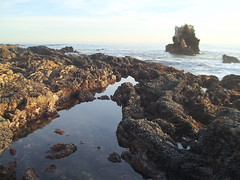
Every May our 5th graders take a field trip to the tide pools at Corona Del Mar to learn about marine life. Part of the follow up for that trip includes some sort of assignment about various tide pool animals that reside in our local marine habitat.

This year as part of my effort to promote creativity and digital storytelling, we decided to shake things up a bit. Each child was to select a creature from the tidepools and make a story about that creature. They would give it a name, talk about it's life in the tidepool, or tell a story about their creature's little adventure. Stories must be factually accurate and cannot include any plot elements that go beyond the creature's natural abilities, real life predators, or physical environment. (i.e. No "Sea Slugs in Space" stories.)

The project began with students sketching out their stories in class on a storyboard template. (Storyboard.pdf courtesy of Hall Davidson) Storyboards included the story's "script" - what the student would say for each image. Next, they began to work on their pictures in the computer lab. Pictures could be drawn in KidPix, created in PowerPoint and exported as a jpeg file, imported from the Internet (properly cited, of course), or any combination of the three.

Finished pictures were imported to PhotoStory3. Students recorded their narration and added music and titles. When the stories were finished, they were exported to a Windows Media file and submitted electronically to their teacher for grading using our school LMS.

Were we crazy to start a project like this with only 8 1/2 days left in the school year? Maybe, but nearly all the kids were able to complete and submit their projects by this morning's deadline. (School ends this Friday!) They will be sharing them in class this afternoon.

Here is one about Brittle Stars.


This is a story about two crabs that sneak out to do some "TP-ing" with seaweed.


NOTE: Because of the limited time available to complete the assignment, students were limited to three pictures for their stories. But even with that restriction, they were still able to come up with some pretty good projects. Hopefully next year we'll be able to give them a little more time.

PHOTO CREDIT: Judykay (flickr.com/photos/judykay/290095974)

Thursday, May 08, 2008

Energy Crisis

The energy crisis has hit here at school. You can feel it just about anywhere you go on campus, but I'm not talking about the price of gas or power, I'm talking about that complete lack of energy on the part of the students and many of our staff - including me.

May has got to be one of the toughest months of the year. The end of the school year is so close you can almost touch it. (Our year ends on June 6th.) The terms "home stretch" and "spring fever" are heard more often in staff conversations and everyone seems to be complaining about the total lack of motivation in our students. Missed assignments, sloppy and careless work, and the oft repeated question, "Can I be done?" are a daily reality.

There must be something in the Spring air that interrupts the thinking process. This is exemplified by the number of raised hands in the room all waiting to ask the same thing - "I don't get it." Never mind that "I don't get it" is not a question, and that the directions you just gave not more than a minute ago are still hanging in the air. What's not to get?! It's hard to keep your head from exploding.

Yes, the demand for energy this May greatly outweighs the supply. This is the time of year when we need to tap into as many resources and creative ideas as we can to keep students' engaged, but how can we be expected to motivate students when we feel so unmotivated ourselves? From a technology coordinator's point of view, May is a tough time to get teachers to try new, creative projects. It's not that they don't want to learn, they just don't want to learn right now. Not when their focus is to "just make it through the next few weeks."

Funny that this little inspirational story should make its way to my inbox this morning. I wish I knew who to attribute it to, but its just one of those things that's been making it's way around through forwarded attachments.

In ancient times, a king had a boulder placed on a roadway. Then he hid himself and watched to see if anyone would remove the huge rock. Some of the king's wealthiest merchants and courtiers came by and complained about the boulder and then simply walked around it. Many loudly blamed the king for not keeping the roads clear, but none did anything about getting the stone out of the way.

Then a peasant came along carrying a load of vegetables. Upon approaching the boulder, the peasant laid down his burden and tried to move the stone to the side of the road. After much pushing and straining, he finally succeeded. After the peasant picked up his load of vegetables, he noticed a purse lying in the road where the boulder had been.

The purse contained many gold coins and a note from the king indicating that the gold was for the person who had removed the boulder from the roadway. The peasant learned what many of us never understand. Every obstacle presents an opportunity to improve our condition.

It's easy to sit here and complain to the world through though this blog. Complaining takes much less energy, but it doesn't make the situation any better. It doesn't motivate our students - in fact I think makes the situation worse because it gives us a poor attitude that rubs off on the kids. If they perceive that we're not giving our best, why should they be any different? We (I) need to push, strain, and apply that extra effort to come up with creative and innovative ideas. I need to work on always answering students' questions with more questions to guide their thinking rather than just handing them an easy answer. Finally, I need to let them know in no uncertain terms that I'm not going to coast through to the end of the year, and that any coasting from them will not be accepted.

Okay, enough writing. Now back to work.

Note to the reader: Normally I use this blog space for tech tips and ideas, rather than personal journalling, but today I just felt the need to write and put my thoughts out there to help get my head back in the right place. Writing today's post has helped me refocus. Hopefully it will help others too.

Wednesday, April 30, 2008

Place-Based Learning at MoMA

The Museum of Modern Art in New York has set up a new place-based learning system for their exhibits. Anyone with an iPhone or iPod Touch can access audio programs for selected art works and various places around the museum. There's even a section for kids! Visitors to the museum use the free wireless Internet to access the site and the audio. I was able to connect to the site using my wireless at home and pretend I was touring the museum. Although I'm sure the experience would be richer if I were standing in front of the actual exhibit as I listened, I found the audio clips - especially the ones recorded for kids - to be interesting and engaging even without the visuals.
If you want to check it out for yourself, visit www.moma.org/wifi/audio/. Since the site was designed for iPhones it may look a little weird but you'll get the idea.

Tuesday, April 29, 2008

Can't Buy Me Love

Today’s Limerick Challenge
(Inspired by NPR’s “Wait, Wait, Don’t Tell Me”)

Our kids’ spending habits aren’t funny,
And their financial future ain’t sunny.
If they spend more than they get,
They’ll be buried in debt.
We must teach them to manage their _______.
Record numbers of home foreclosures. Over $4.00 for a gallon of gas. Food prices skyrocketing. Listen to the news and you wonder how much worse it’ll get before it starts to get better. When your money doesn’t go as far as it used to, you really need to learn to use it wisely. Think about the decisions you make when you spend money. Not just for big ticket items like a car and a house, either. Stop and think how much you spend every month at Starbucks too. Now stop and think what kind of example we are setting for our kids.

One of the problems we have when it comes to spending is that technology has made it so much easier to separate us from our cash. In fact, cash seems to be less and less visible in favor of electronic and plastic currency. Why fumble with cash when you can just swipe a card? You’ve seen those Visa Check Card commercials where everything comes to a stop when some poor unenlightened soul tries to pay with cash? But do we really pay as much attention to our spending habits when our real money is reduced to plastic cards and numbers on a computer screen? According to author Dan Ariely (Predictably Irrational), this degree of separation from actual money can actually have an effect on our behavior - and our honesty. Listen to his comments on the recent Bear Stearns debacle.


At school we use manipulatives and computer software to teach kids how to recognize and count coins and bills, and how to make change. But I wonder if we are preparing them deal with a real world of debit/credit cards, online banking, and one-click shopping. Do they truly understand that those numbers on the screen are a real and just as important as cash in their pocket? How do we get them to think about good money management and sound financial decision making.

One great media resource I like to use is BizKid$. This PBS series, made by the same team that produced Bill Nye-The Science Guy, is packed full of great lessons and positive examples of kids who understand proper money management. It’s fast paced and funny - I particularly like the Star Trek parodies - but it also teaches some simple and not-so-simple money management concepts in a way that connects with kids. The series is aimed at grades 4-7 and covers a variety of topics from “What is Money?” (Episode 2) to the “Global Economy” (Episode 20).

Their web site has video clips and a synopsis of each episode. Complete a free registration process and you’ll have access to teacher guides and classroom lessons developed by Junior Achievement. Check with your local PBS station to see about recording rights for your classroom.

Other sites/resources for money education:
  • Hands On Banking - an interactive web site sponsored by Wells Fargo.
  • Elementary Video Adventures: Money: Kids & Cash - Available to those of you with Discovery Streaming. (Log in and search for “Kids and Cash”.) It is a collection of 23 video segments for kids in grades 3-5.
If you have any great tools that you use for money education please leave a comment and link. Thanks.

Oh, and if the Dan Ariely clip caught your attention, check out his web site and his book, Predictably Irrational. I was fascinated by his thoughts on how we make decisions and the tricks our mind plays on us. Some of this will definitely come in handy dealing with kids in the classroom.

Saturday, April 12, 2008

Adventures in Google Apps

Over the past several weeks we've been exploring Google Apps for Education here at St. John's. I really like the way Google Docs allows for collaborating on projects, but the biggest hurdle that prevented us from using it in our middle school was a registration process that requires users to sign-up with an e-mail address. We can't require our students to have internet e-mail accounts. This is why we decided to try Google Apps for Education.

The process began with signing up our school, registering our domain, and setting up our site. Our reward came this week we when we actually started using it with 6th Grade.


Signing Up/Registering Our Domain
Signing up for Google Apps for Education begins at their site. This is where the process got a little confusing for me. Thankfully our school network administrator was there to help me through the process. The first thing they ask for is your domain name. We had a couple of domain names registered to our school that we were not using so we chose one of those.
Next we had to prove to Google that we actually owned our domain. This involved either uploading a unique HTML file they supplied to our site, or by changing something called the CNAME to redirect our site to Google. Since the name we selected to use was registered to us but not an active web site, we could not upload anything to it, so we had to change the CNAME. If this part sounds confusing to you, rest assured it was confusing to me too. Thankfully our network guy knew what to do. He had to go to the site where we registered our domain and make these changes.

It took almost a week for Google to verify that we had ownership of the domain, but once it was done we could go to our site and a custom Google start page (think - iGoogle) would appear. The page included links to Google Docs, GMail, GoogleTalk, Google Calendar, and any other modules I chose to add.

NOTE: Going to www.yourdomain.com would take you to your custom start page. You can go straight to Google Docs by typing docs.yourdomain.com.


Set-Up & Adding Users
The default settings in Google Apps for Education automatically creates GMail accounts for each of your users (Think: username@yourdomain.com). Since we did not want our students to have GMail accounts, we chose to disable the GMail feature, along with GoogleTalk (Chat is blocked by our firewall anyway) and Calendar (our school site already has a calendar). This basically left Google Docs.

To get our students into the system I was able to export their usernames from our learning system into an Excel CSV file, tweak the spreadsheet a little so it looks like the one below, and upload them to our Google site. For student passwords I just assigned them a generic password and checked a box that requires them to change it the first time they login.


Our First Project
Our 6th grade history teacher wanted his students to collaborate on their class notes for his lesson on the Age of Pericles. He created a Google Presentation with a single question on each slide. We decided it would be easier for a first project to have students each working on their own slide as opposed to editing over each other on the same text document. That presentation was copied multiple times - one for each group of 4 or 5 students. Students were were then invited to collaborate on their copy of the presentation.

For the introductory lesson we just showed students how to login and access the presentation. Even though their usernames had already been imported to our Google system, for their first login they still had to do two levels of "type the squiggly word" and click on the "agree to terms" button to verify their account. We showed them the Common Craft Google Docs video to give the kids an idea how Google Docs work. Then we showed them how to open & edit their copy of the presentation. Student groups had to decide who was going to work on which slide. Their assignment was to go home and work on their questions so their answers could be shared in class the next day.

What was the first thing they all started doing? Changing the themes and watching the screen change on each of the PC's in their group. I've to to admit, that is kind of empowering - and fun. The next day, out of three class periods, all but 2 or 3 students had completed their assignment.

NOTE: The ones that didn't finish had copied the web site incorrectly in their assignment book.

Monday, March 17, 2008

Every Place Has a Story

Imagine this...
  • You're on visiting a historic Civil War battlefield. You're carrying a GPS enabled PDA with you. As you walk into a particular area your PDA starts playing a recorded story of what happened on that spot. Old photos appear on the screen showing what you might have seen had you been standing there 145 years ago. As you leave that area, the audio fades out. You continue exploring and as you do different voices, sounds, and images appear specific to those locations. It's as if those places are reaching through history to tell you their story.
  • You're walking through a park near your home with that same PDA. Suddenly a voice prompts you to stop and look around. It points out specific geological or natural features visible from where you are standing.
  • You're strolling through the neighborhood near your school. As you walk through certain areas you hear poetry, music, or stories written by your students who were inspired by those locations.
You've just experienced place-based learning. This weekend I had a chance to attend a workshop at KQED in San Francisco. Leslie Rule of KQED led the discussion as we shared ideas and brainstormed ways that place and space can be used to add an extra dimension to learning.

Many of us have seen how tools like Google Maps and Google Earth can connect us virtually with just about any place on the planet. Google Lit Trips takes events from books and links them to places. Imagine following the journey of the Joad family from Steinbeck's Grapes of Wrath, or the story of gold seekers traveling from Boston to California in Sid Fleishman's The Great Horn Spoon.

Google Maps is valuable tool for organizing data and information by location. During the California wildfires last fall KPBS used Google Maps to share place-specific information with the public and alert communities of evacuation areas and road closures.

Using Google Street-View you can virtually stand in Dealy Plaza and survey the scene where JFK was shot, look up at the 6th story window where Oswald was perched waiting for the motorcade to pass by, and click down the street to the spot where the fatal shot struck the President.

While these types of place-based learning can all be done from the comfort of your own computer screen, the real power of place-based learning happens when you step outside the classroom and into the real world. You experience the content while standing in the actual spot - seeing, hearing, smelling, and feeling it for yourself. This is where things really start to get fun.

Using GPS enabled PDA's and Mediascape software Leslie showed us how to actually create a simple version of the imagined projects described above. We pulled in a picture from Google Earth of the area just outside KQED and programmed in the longitude and latitude coordinates. Then we created zones on certain areas of the map and imported pre-recorded audio that would play when the device entered those zones. Once the "mediascape" was created it was downloaded to the PDA and we ran outside to test it out.

We turned on the PDA's, waited for the GPS to acquire our position, and opened our downloaded file. The map and zones appeared on the screen we started walking. Upon entering a zone an audio clip started to play. As we stepped out of that zone the clip stopped. Errors in the GPS positioning meant that different PDA's were triggered in different spots, but for the most part, the experiment worked!

Admittedly, the technology we used was a little glitchy and it may be a while before this type of project becomes practical. The software we used only works with Windows and Windows Mobile enabled devices. Since not many PDA's are equipped with GPS capability, we had to use a separate bluetooth GPS unit to feed our position to the PDA's. It worked for some and not for others, but everyone did get a vision of how powerful this type of learning could be.

Even if you don't have all the equipment you need right now, you can still start thinking about and creating place-based content with technology you already possess. For example, you or your students could record content and upload it to your web site. That information could be downloaded to an iPod or mp3 player. Your students could use handheld GPS units or even paper maps to indicate where to play certain tracks. Then, in the future if you do get PDA's , that recorded information would be ready-made and easily moved to a GPS enabled hand-held device.

If you have no equipment at all, you can still create an educational "treasure hunt" called an EdTrek. KQED's Quest web site has an example and instructions for creating your own.

However you choose to implement it, the important thing to remember about place-based learning is that every place has a story. It could be geological, historical, personal, or inspirational. For your students it could be a specific place that works like a trigger to get them writing.
  • Tell about something that happened here.
  • How does this place make you feel?
  • Use your words to describe the sights, sounds, textures, and smells.
For those making the learning journey through those places it will give them a new perspective as they experience that place through the words of another.

Place-Based Learning Resources:
Create-A-Scape - Software to create a mediascape.
KQED Sample Quest
Lesson Plan for Creating an Ed-Trek Activity
"No Student Left Indoors" by Jane Kirkland
Google Lit Trips

NOTE: I would not have been able to attend this workshop without a generous invitation from Janet English of KOCE. Thanks Janet for the invite and for all you do to support teachers and technology in Orange County.

Thursday, March 13, 2008

Will Web 2.0 Be There When I Need It?

Warning: Normally I don't use this blog post as a forum for venting frustration, but I'm writing this today to ask, "Has this ever happened to you?"

My position here at St. John's has me spending a great deal of time working with teachers and helping them integrate technology into their lessons. While some of our teachers L-O-V-E technology and all the possibilities it offers them, many still approach these new tools with trepidation. It's a big step out of their comfort zone. While I applaud them for their willingness to take a leap forward and try something new, I'm frustrated when things just won't work as planned.

This happened last week while I was away at CUE Conference. I convinced our second grades to use Voicethread instead of Power Point for their Important Book Project. Classes worked for weeks making their pictures and recording video comments. When the teachers tried to present their final projects on Grandparents Day last Friday, Voicethread locked up and would not play. (NOTE: This Monday Voicethread added the ability to download and save projects locally. Timing is everything!)

Earlier this year 8th grade was all set to use MyBrochureMaker.com for a literature project. The site worked perfectly the day before, but when the time came for the students to start working on their projects, all that came up on their screen was the "Page Cannot be Displayed" message.

Today in the lab I had a class come in to work on a project using Kerpoof.com. I've used this site before and never had any problems but today it just wouldn't open. I posted my dilemma on Twitter and a few other colleagues shared that they were having the same problem. As a result I had to switch gears quickly and do another activity. While I can roll with these little annoyances, many of my new technology adopters see it as a reason NOT to use these new web tools and stick with "more reliable" crayon, pencil & paper projects. I can understand their feelings.

I've done enough trainings and presentations to know that the nature of all things online means that the one web tool you need might not work when you need it most. If that's true, how do I convince a timid teacher to replace their "always reliable" paper project and integrate these new web tools when they just don't trust them?

How do YOU handle this? I'd love to hear your thoughts. If nothing else, let me know I'm not alone here.

Monday, March 10, 2008

CUE Thoughts


It's Monday morning. I'm back at school, and while I'm mentally exhausted from last week's CUE Conference (and still adjusting to the time change), I need to post some of my thoughts and reflections while they are still fresh in my mind. This year's event was probably one of the best CUE experiences I've had, not just because of the sessions and presenters, but also because it provided an opportunity to connect and converse with some brilliant and talented educators, many of whom I had never met.

Most of these conversations would not have occurred had it not been for the connections I started making last summer at the Discovery National Institute. That experience really helped me jump in and start networking with people across the country and the world using online tools like Twitter, Skype, and Google Reader. It's amazing how my learning network has grown in the last 9 months. As a result, I was able to have some great conversations with people that I would never have known, and would not have approached had I not been following them online.

Wednesday - EduBloggerCon West
Thanks to Steve Hargadon (Classroom 2.0)for organizing this and to Mike Lawrence & CUE for providing rooms and wireless Internet. Those of us fortunate enough to participate in this "un-conference" got to share some great ideas and participate in some wonderful discussions. In addition to Steve, I was also able to meet several people I've been following online, but had never met in person including Jen Wagner and Sylvia Martinez. I also added a few new names to my network:

Rushton Hurley is creator of Next Vista for Learning, a free site for viewing and downloading videos created by teachers & students. Videos focus on Learning, Global Understanding, and Community Service. Rushton is also a dynamic presenter and one of the CUE spotlight speakers. I'll be blaming his Google Tools presentation for all my hours that will be eaten up playing with Google Sketch-Up.

My "serendipty" moment of the conference came during our round table discussion on Project Based Learning. Sylvia Martinez was leading the discussion. I reached in my bag and pulled out the ISTE book we've been using for our middle school teacher training, Reinventing Project Based Learning. When I praised it as a great resource a voice from across the table replied, "Hey, I wrote that book!" It was Jane Krauss, one of the authors. Of course, I had her sign my copy.


Thursday - DEN Pre-Conference

A room full of Discovery Educators was a great way to kick-off the CUE Conference. Scott Kinney gave a terrific presentation on the role that media plays in our student's lives. This event also ended up being a mini-reunion of National Institute friends. We had 8 "Academic Excursion" attendees together in the same room. Good times. Most of us got together for dinner at Las Casuelas that night.

Friday - Conference Sessions & Party Time
I've been following David Jakes on Twitter and on his blog for some time, but never had a chance to meet him until today. His presentation on Digital Storytelling opened my eyes to some new possibilities for using these with my students.

David Jakes presenting del.icio.us at one of the "CUE-Tip" mini sessions.

Jeremy Davis shared advanced Google searching and revealed some hidden Google tools - like calculator, dictionary, and custom searches.
Frank Guttler & Mitch Aiken from the American Film Institute shared their screen-education curriculum for students and gave us a sneak peak at their new AFI ScreenNation site - a place for students to post and share their videos.

After the sessions, it was party time. Since I volunteered at the registration booth this year I was invited to the Volunteer Reception at the Wyndham Hotel. That was followed by a reception for our Orange County CUE affiliate where we were introduced to our new affiliate president Lainie McGann. The night was capped off by a Discovery Education Celebration. Kudos to the Discovery folks for throwing a great party. They rented out Boomers in Cathedral City so we had the whole place to ourselves and we had a terrific time. I was one of about 200 Discovery Educators who reconnected with their inner-child as we played in the arcade, pounded down pizza & soda, and raced each other around the go-cart track. Thanks DEN!

Saturday - Wrapping it All Up
In addition to Rushton's enthusiastic Google Earth and Sketch-up session, I got to sit back and listen to David Jakes one more time before he had to fly back to icy Chicago. His 21st Century Cartography session had our heads spinning as he showed the magic that you can add to your blogs and wikis using embeded code. With a "simple" copy & paste you can bring your pages to life with podcasts, maps, street-views, and virtual tours.
In my last session of the conference I got to give back a little as I presented some of my own cool tips and tricks with other Discovery STAR Educators in their "Stealing from the STARs" session. I shared how to make PhotoStory-like movies using iMovie08 and Voicethread.

Cool Web 2.0 Tools
  • PicLens - Use this browser plug-in to turn your picture searches into an infinite photo-wall. Works with most image searches and Flickr.
  • MeBeam - Probably the easiest way yet to video conference. Reminds me a lot of the Brady Bunch.
  • Next Vista for Learning - Rushton Hurley's online library of free videos for learners.
  • AFI ScreenNation - The final piece of AFI's Screen Education curriculum. Coming soon!
  • GabCast - Record & post your podcast with your cell-phone. Evoca is another tool that does the same thing.
  • Google Sketch-Up - Design 3-D buildings and objects and drop them into Google Earth. (This is just too much fun!)
PHOTO CREDITS: Thanks to Mark Pennington & Jen Wagner.

Saturday, March 08, 2008

iMovie08: Follow-Up

Here's a video clip that explains the process for creating a PhotoStory3-like digital story using iMovie08.


Monday, February 18, 2008

iMovie 08: PhotoStory for Mac?

For a PDF (printable) version of this blog click here.

Microsoft PhotoStory 3 is a great, simple way for students and teachers to create their own digital stories. I’ve demonstrated PhotoStory at several workshops and conferences and every time I do someone always asks, “Isn’t this available for Mac?” I understand the shock that Mac users experience when I tell them, “No, it’s only for Windows.” We Mac users are used to having the best, and easiest to use software. We feel slighted when something comes along that’s simple, easy, free, and we can’t have it. This is especially painful when that product comes from Microsoft.
“No. No. That’s not true! That’s impossible!”
Luke Skywalker, reacting to Darth Vader’s revelation that he is Luke’s father

For those of you who have been wanting a Mac solution to the PhotoStory dilemma, here’s something that might just work. It’s iMovie ‘08. This latest version of iMovie has drawn numerous bad reviews, mostly due to the fact that it is radically different from it’s previous version. While I’m not going to argue which is better, please allow me to present iMovie 08 as an alternative to PhotoStory. Here is an example of how to create a simple digital riddle using iMovie 08. I’ve written the steps in much the same way that similar project would be created using Photostory.

Since today is Presidents’ Day, I’m choosing to create a digital riddle about one of our Presidents, Millard Fillmore. Before starting this project I collected two pictures and placed them in a folder. One is a blank slide that I will use a background for my titles. The other is a photo of Millard Fillmore that I plan to use several times. The idea is to zoom in on certain parts of the picture and only reveal the entire photograph at the end.

Start a New Story
Go to FILE and select NEW PROJECT.
If you want your project to be a standard video format, I suggest you select a Standard (4:3) aspect ratio.


STEP 1: Import Pictures
You can bring your pictures into iMovie two ways. If they’re already in your iPhoto library, click the camera button (at the right of the screen below the preview window). Locate your pictures and drag them to the project window.
For my project, I'm saving two pictures - a blank background created in keynote and the picture of Millard Fillmore - in a folder. I can drag the pictures from the folder into the project window.
Since I want to use each picture more than once, I can drag the same picture multiple times to create copies.


STEP 2: Add Titles
Click the title button (located next to the camera button).
Select the style of title you want and drag it on top of a picture. For my President riddle I’m selecting a centered title for my questions and a lower third for my answer.

Type your titles in the preview window. You will notice that each picture with titles has a blue bar over it.

STEP 3: Add Narration
Unlike PhotoStory, there is no window to type your notes for narrating. You and your students will have to write them ahead of time and print them out or open them in a small window on your screen.

To record narration, click on the microphone button. Use your mouse to position the “red line” where you want to begin recording. When you click, you will get a 3 second countdown to begin recording. To stop recording, click the mouse button.

NOTE: In PhotoStory you only record one slide at a time. In iMovie if you don’t stop after each slide, your recording can flow into other slides. If this happens, you can adjust the length of each slide to fit the recording. In the picture below, notice that the voiceover (purple bar) for my third Millard Fillmore picture is 6.4 seconds long and the picture is only 4 seconds long.


Crop Images, Adjust Motion
Once you have adjusted the duration of your slides to match the voiceover, you can crop your images or adjust the pan and zoom. Click the crop button to make these adjustments.


You have three options.
  1. FIT - Make the entire picture fit in the window. You may see black bars on the sides or top & bottom.
  2. CROP - Crop the image so part of it fills the entire window.
  3. KEN BURNS - Make your image pan or zoom by setting a starting and ending point.
STEP 4: Add Music
Unlike PhotoStory, iMovie does not have a music creator. To add music you must select it from your iTunes library or from the pre-made jingles found in the iLife sound effects folder.


For my President Riddle, I selected "Medal Ceremony", because it just sounds Presidential. The song will appear as a green field behind your pictures. If the song you choose is longer than your video, it will fade out at the end.

STEP 5: Save Your Video
This creates an Quicktime or m4v version of your video which will play in Quicktime Player or iTunes. Go to SHARE and select EXPORT MOVIE.


You can select different qualities and sizes. Because I want a smaller file size, I’ll pick “mobile” for my project.

Once the file has been exported, you can post it online or upload it to a video sharing site like YouTube or TeacherTube. Here’s what my finished project looks like.


iMovie 08 does much more than what is explained in this tutorial. If you want to learn more about iMovie 08, check out the video tutorials on Apple’s web site: http://www.apple.com/ilife/tutorials/#imovie